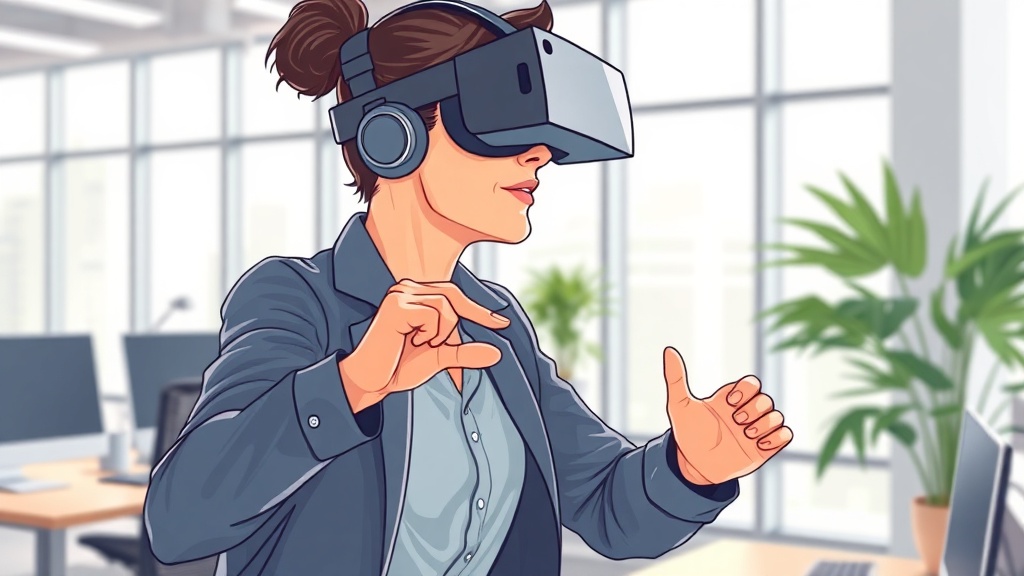
10‑Minute VR Micro‑Workout for Busy Professionals

Hook: Can a 10‑minute VR session replace a coffee break and actually make you stronger?
I’ve spent countless afternoons swapping my desk chair for a quick walk, only to end up scrolling mindlessly. What if you could turn that coffee‑break window into a high‑impact workout that feels like stepping into a game? That’s the promise of a VR micro‑workout, and it’s right at your fingertips.
Why does this matter right now?
- Time pressure: Most of us juggle 60‑hour work weeks. Traditional gym sessions feel impossible.
- Tech adoption: Nearly half of U.S. adults now own a smartwatch or wearable (ACSM, 2026). VR headsets are finally affordable and office‑friendly.
- Habit stacking: Pairing a short, immersive workout with a natural break builds a repeatable cue‑action loop — the core of my habit‑stacking framework.
What is a VR micro‑workout?
A VR micro‑workout is a sub‑10‑minute, immersive exercise session delivered through a virtual‑reality headset. It blends cardio, strength, and mobility drills with gamified visuals, letting you sweat without leaving your desk.
How to set up a VR micro‑workout in three easy steps
1️⃣ Which headset should you use?
| Headset | Price (USD) | Tracking | Best for |
|---|---|---|---|
| Meta Quest 2 | $299 | Inside‑out 6‑DoF | All‑round fitness apps, easy setup |
| Pico 4 | $399 | Inside‑out 6‑DoF | Budget‑friendly, lightweight |
| Valve Index | $999 | External base stations | High‑fidelity motion, premium experience |
Source: Mirrors Delivered, 2026 VR trends.
My pick: The Meta Quest 2. It’s under $300, works wirelessly, and has a robust library of fitness titles. I’ve used it for daily 10‑minute bursts and never missed a session.
2️⃣ Choose a micro‑workout app that fits a busy schedule
| App | Free Tier? | Session Length | Notable Feature |
|---|---|---|---|
| Supernatural | Yes (limited) | 5‑15 min | Real‑world locations, coach voice‑overs |
| FitXR | No | 10‑20 min | Combines HIIT, boxing, and dance |
| BlackBox VR | No | 8‑12 min | AI‑driven resistance training |
| VZFit (new 2026) | Yes | 5‑10 min | Office‑mode with seated options |
Source: FitXR website, 2026; VZFit launch announcement, 2026.
My go‑to: VZFit’s Office Mode — it’s free, offers seated cardio, and syncs with most smartwatches for heart‑rate feedback.
3️⃣ Build the 10‑minute routine
| Minute | Exercise | VR Setting | Focus |
|---|---|---|---|
| 0‑2 | Warm‑up: Light jog in a virtual park | Supernatural – Warm‑up | Elevate heart rate, prep joints |
| 2‑5 | Squat‑to‑press combo (standing or seated) | VZFit – Office Squat | Lower‑body strength, posture |
| 5‑7 | Upper‑body punches (shadow‑boxing) | FitXR – Boxing | Cardio burst, shoulder mobility |
| 7‑9 | Core twists (standing oblique rotation) | VZFit – Core Spin | Core activation, spinal health |
| 9‑10 | Cool‑down stretch (virtual beach) | Supernatural – Stretch | Flexibility, mind‑body reset |
Tip: Pair the routine with a habit cue — e.g., after your third coffee, put on the headset. The visual change signals your brain that it’s workout time.
How to integrate the VR micro‑workout into your daily habit stack
- Cue: Place a sticky note on your monitor that says “VR = 10 min”.
- Routine: Put on the headset, run the 10‑minute sequence.
- Reward: Log the session in your smartwatch and treat yourself to a protein shake.
- Stack: Follow the workout with a 2‑minute breathing exercise (see my 15‑Minute Full‑Body Micro‑Workout Blueprint for a deeper stretch).
By stacking the VR session onto an existing coffee‑break cue, you create a low‑friction habit that sticks.
Common pitfalls and how to avoid them
| Pitfall | Why it hurts | Fix |
|---|---|---|
| Skipping the warm‑up | Sudden spikes can strain shoulders | Always start with the 2‑minute park jog |
| Using a heavy headset while seated | Pressure on neck, reduced mobility | Choose a lightweight model (Meta Quest 2) or use a desk‑mount stand |
| Ignoring heart‑rate feedback | Missed intensity, less calorie burn | Sync with your smartwatch; aim for 120‑130 bpm during the HIIT segment |
| Doing the same routine every day | Plateaus, boredom | Rotate apps weekly — Supernatural, VZFit, FitXR |
Takeaway: Your next office break can be a VR fitness sprint
You don’t need a gym membership or a spare 30 minutes. With a modest headset, a free or low‑cost app, and a 10‑minute cue, you can boost energy, burn calories, and reinforce a habit that fits your hectic life. Try the routine tomorrow, log it, and watch the consistency compound.
Related Reading
- 15‑Minute Full‑Body Micro‑Workout Blueprint for Busy Professionals — deeper dive into non‑VR micro‑workouts.
- Wearable Tech for Micro‑Workouts: 2026 Trends & Best Devices — how smartwatches complement VR sessions.
- 7 Desk Mobility Moves to Beat Back Pain in 5 Minutes — quick mobility fixes for after your VR sweat.
- Standing Desk Setup: Boost Energy and Health at Work — ergonomic tips to pair with your headset.
FAQs
{
  "meta": {
    "faqs": [
      {
        "question": "Do I need a powerful PC for VR fitness?",
        "answer": "No. Stand‑alone headsets like the Meta Quest 2 run the apps locally, so a high‑end PC isn’t required."
      },
      {
        "question": "Can I do a VR micro‑workout while seated?",
        "answer": "Yes. Apps like VZFit’s Office Mode offer seated cardio and strength moves designed for desk‑bound users."
      },
      {
        "question": "Is VR safe for my neck and eyes?",
        "answer": "Use a lightweight headset, keep sessions under 15 minutes, and take a short break every 30 minutes to rest your eyes and neck."
      }
    ]
  }
}
Steps
- 1
Pick a headset
Choose a lightweight, stand‑alone headset like the Meta Quest 2 (≈$300) that works wirelessly and has a solid fitness app library.
- 2
Select a micro‑workout app
Download a free or low‑cost app such as VZFit’s Office Mode, Supernatural, or FitXR that offers 5‑10‑minute VR sessions.
- 3
Run the 10‑minute routine
Follow the step‑by‑step sequence (warm‑up, squat‑to‑press, punches, core twists, cool‑down) while syncing your smartwatch for heart‑rate feedback.