Standing Desk Setup: Boost Energy and Health at Work

Why does a standing desk matter for busy professionals?
Do you feel drained by the time you sit through a full workday? The modern office can feel like a treadmill of fatigue: hours at a desk, tight shoulders, and a lingering slump that drags into your evenings. Research shows that prolonged sitting isn’t just an "inconvenient habit"—it’s a health risk that can lower energy, increase musculoskeletal discomfort, and even impact cardiovascular health.
What does the latest science say?
Two recent peer‑reviewed studies provide a clear picture:
- "The Impact of Standing Desks on Cardiometabolic and Vascular Health" found that standing for just a few hours a day improves blood flow and reduces markers linked to heart disease.
- "Effects of a Workplace Sit–Stand Desk Intervention on Health and Productivity" reported a 45% drop in self‑reported musculoskeletal discomfort and a noticeable boost in focus after a six‑week trial.
Both studies emphasize that the benefit isn’t about standing all day—it's about **strategic alternation** between sitting and standing.
How can I set up my standing desk for maximum benefit?
What height should my desk be?
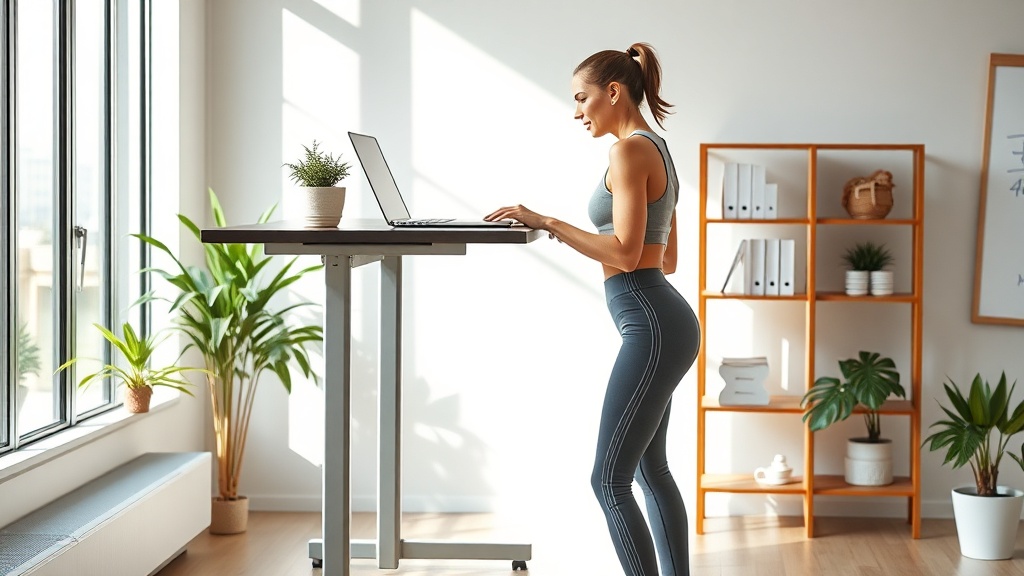
When standing, your elbows should form a 90‑degree angle with the keyboard, and your monitor top should be at eye level. A quick test: place your hands on the desk; your forearms should be parallel to the floor. If you’re using a laptop, invest in a separate monitor or a laptop riser to keep the screen at the right height.
How often should I switch between sitting and standing?
The sweet spot is the 20‑minute rule: stand for 20 minutes, then sit for 40. Use a timer or a phone app to remind you. This cadence mirrors the research that showed the biggest health gains when participants switched every 30‑45 minutes.
What accessories can reduce fatigue?
Consider a anti‑fatigue mat to cushion your feet, a footrest for when you sit, and a monitor arm to fine‑tune screen height without a permanent desk redesign. A small potted plant or a personal photo can also keep the space inviting, which research from Steelcase notes improves mood and productivity.
How do I keep the habit friction‑free?
Apply the same habit‑stacking mindset you use for micro‑workouts. Pair the start of your first meeting with a quick stand‑up, or link the end of a Pomodoro session to a 2‑minute stretch (like the 5‑Minute Desk Stretch you already love). The key is to make standing the default, not the exception.
What common pitfalls should I avoid?
- Standing all day. Your muscles need movement; staying static can cause joint strain.
- Ignoring ergonomics. Poor monitor height or keyboard placement defeats the health benefits.
- Skipping breaks. Even a standing desk can’t replace the need for short walks or mobility drills.
Takeaway: Your 3‑Step Standing Desk Blueprint
- Adjust the height. Elbows at 90°, screen at eye level.
- Set a timer. Follow the 20‑minute stand / 40‑minute sit rhythm.
- Add ergonomic accessories. Anti‑fatigue mat, monitor arm, and a quick stretch routine.
Implement these steps today, and you’ll notice less back ache, steadier energy, and a clearer mind by week’s end.
Related Reading
- The 15‑Minute Shoulder Rescue – a deeper dive into relieving upper‑body tension.
- The $0 Friction Audit – how to eliminate hidden barriers to daily movement.
- The Spring Reset Is a Trap – why habit‑stacking beats fad‑driven fitness plans.